Information Window
Overview
The Information Window feature enhances data visualization interactivity by providing contextual details in a dynamic overlay. When a user clicks on a visualization element, a contextual window appears displaying additional information that is automatically filtered based on the selected element.
Implementation
To implement the Information Window feature, please refer to the MstrDossier API documentation for the required parameters and implementation details.
Behavior Specifications
Size Management
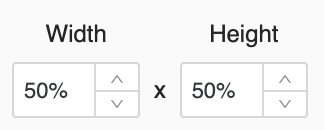
The Information Window automatically adjusts its dimensions based on the content and maintains the optimal width-to-height ratio consistent with MicroStrategyLibrary standards:
Positioning Logic
The Information Window intelligently positions itself relative to the interaction point. When a user clicks on a visualization element, the window appears proximal to the click location while ensuring it remains fully visible within the viewport.
Technical Limitations
The Information Window feature has specific compatibility constraints:
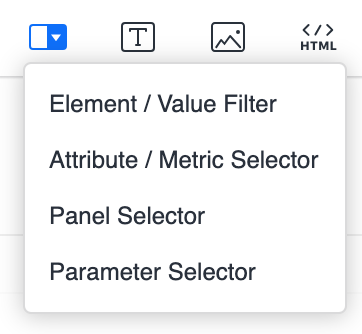
Certain selector components and filtering mechanisms are not compatible with the Information Window rendering system. For optimal implementation, avoid using these unsupported configurations.